
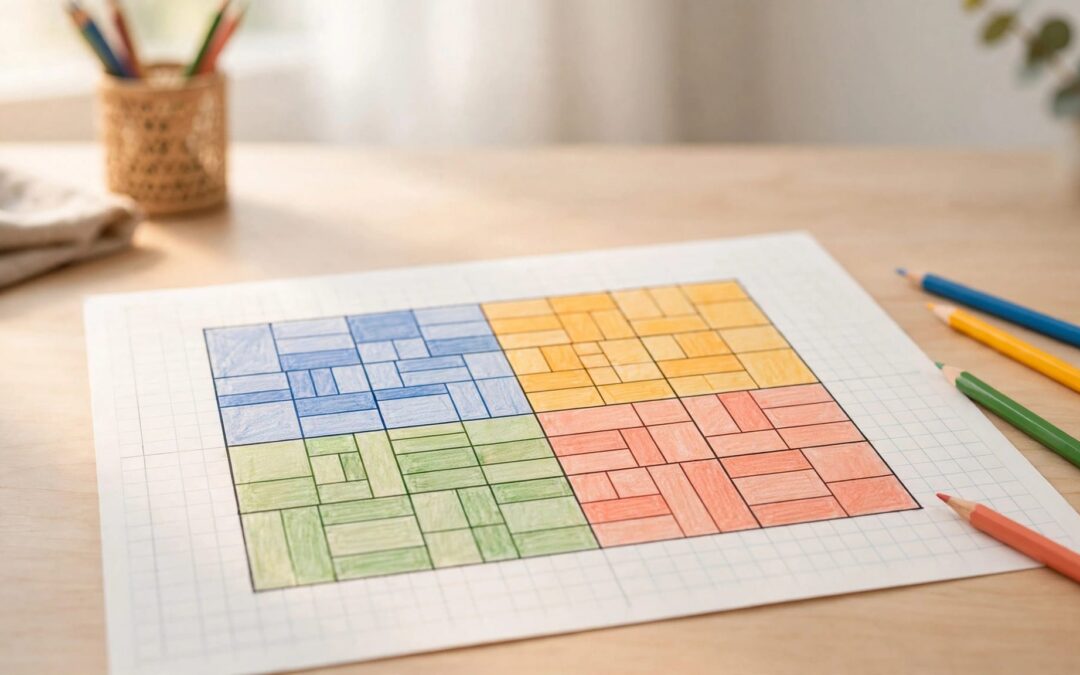
If your child can answer 6 × 4 but freezes at 23 × 14, an area model gives them a starting point. Area model multiplication breaks multi-digit numbers into smaller calculations your child can see, explain, and check.
The rectangle makes place value visible, giving your child a strategy to start with. This math strategy begins with one simple model, then builds toward two-digit problems instead of a page of tiny boxes.
What Grade 4 Area Model Multiplication Should Show
Connect multiplication to a rectangle
A rectangle’s area equals its length multiplied by its width. For example, a rectangle with a length of 6 units and a width of 4 units has an area of 24 square units.
This model uses that relationship to show multiplication. Instead of counting every square, your child splits the shape into manageable sections.
For 16 × 4, split the 16-unit side into 10 and 6. The two smaller rectangles have areas of 40 and 24 square units. Together, they cover the original shape: 64 square units.
Those smaller answers are partial products. Adding them gives the product.
Know the Grade 4 expectations
The Common Core Grade 4 multiplication standard covers multiplying up to four-digit numbers by one-digit numbers and multiplying two two-digit numbers.
Children use place-value strategies and properties of operations. They also explain calculations with an equation, rectangular arrays, or area representations.
A completed grid matters, but so does the explanation. Ask your child what each side label means and why every section belongs in the total.
Three-digit by two-digit multiplication is an extension beyond this particular Grade 4 standard. Save it until the smaller models make sense.
Start With One Split: 16 × 4
Use blank paper to draw a rectangle for this area model. Fancy supplies can sit this one out.
Follow these steps together:
- Write 16 = 10 + 6 in expanded form.
- Split the rectangle into two boxes, labeling their widths 10 and 6.
- Label the other side 4, then calculate the multiplication facts: 10 × 4 = 40 and 6 × 4 = 24.
- Add the partial products: 40 + 24 = 64, the final product.
Point to each section while your child explains the calculation. The 40 comes from four groups of ten; the 24 comes from four groups of six. That’s place value at work.
Then give them 24 × 3, even if they know the fast facts. Look for 20 + 4, partial products of 60 and 12, and a total of 72.
If they write 2 + 4 instead of 20 + 4, pause there. More multiplication questions won’t repair that place-value misunderstanding.
Build a Two-Digit Model: 23 × 14
Expand both factors and label the sides
Area model multiplication shows how 23 and 14 can be split before multiplying.
Decompose both numbers:
23 = 20 + 3
14 = 10 + 4
The tens, 20 and 10, represent groups built from powers of 10.
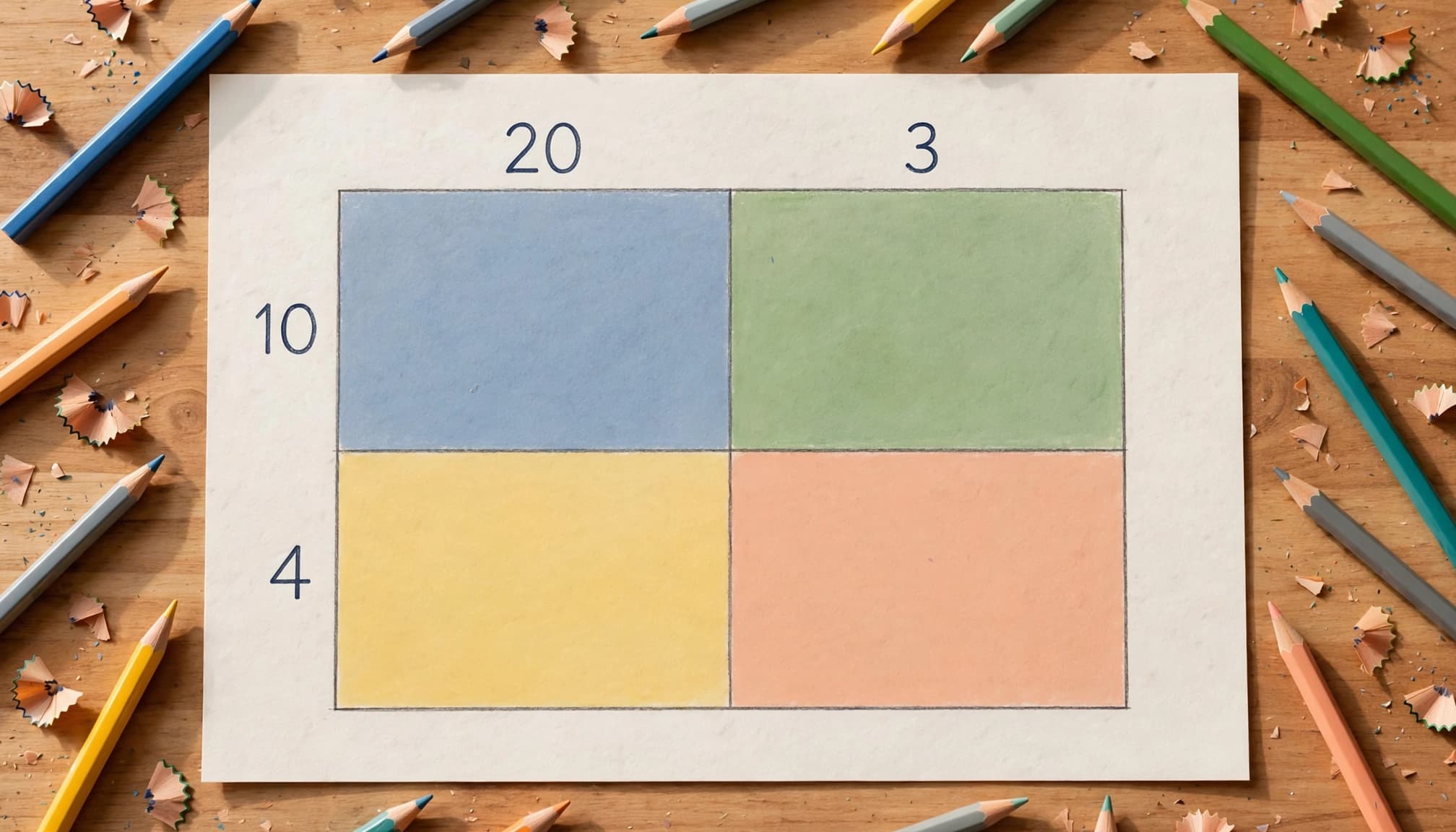
Draw a rectangle with two columns and two rows. Put 20 and 3 across the top, then 10 and 4 down the side.
Each box pairs one column label with one row label. Since each factor has two parts, the area model needs four boxes.
Before calculating, ask your child to trace the full width and height. The side labels should add back to 23 and 14.
Multiply every box, then combine the areas
Fill each box using its two side labels.
| Side length | 20 | 3 |
|---|---|---|
| 10 | 10 × 20 = 200 | 10 × 3 = 30 |
| 4 | 4 × 20 = 80 | 4 × 3 = 12 |
Each product represents one section’s area. Add the partial products: 200 + 30 + 80 + 12 = 322.
Your child can also combine each row first: 230 + 92 = 322. Both approaches work because they include every section exactly once.
This is the distributive property in action: multiplying the parts and adding their products gives the same answer as multiplying the original factors.
The final product is 322. The drawing doesn’t need ruler-perfect proportions, but its labels and calculations must match. An oversized ones box is fine; no section should be missing.
Multiply Tens, Then Try 52 × 37
Explain the powers of 10 shortcut
For 50 × 30, use mental math to begin with 5 × 3 = 15. Each factor includes a power of 10, so powers of 10 help explain the calculation:
50 × 30 = 5 × 3 × 10 × 10 = 1,500.
The familiar “attach two zeros” shortcut works because the powers of 10 multiply to make 100. The zeros show the place-value shift from multiplying by 100, not a rule for every calculation.
Similarly, 50 × 7 = 350 because five tens multiplied by seven equals thirty-five tens. Keep this shortcut tied to whole-number multiples of 10, where powers of 10 explain the place-value shift.
Calculate four partial products
Split 52 into 50 + 2 and 37 into 30 + 7. This area model keeps the powers of 10 visible.
| Side length | 50 | 2 |
|---|---|---|
| 30 | 1,500 | 60 |
| 7 | 350 | 14 |
Each box shows one partial value. The top-left box is 1,500, with powers of 10 accounting for its two zeros. The remaining boxes show 60, 350, and 14.
Add by rows: 1,500 + 60 = 1,560, and 350 + 14 = 364. Then calculate 1,560 + 364 to find the product and final product: 1,924.
If your child stacks the numbers vertically, align ones under ones, tens under tens, and hundreds under hundreds. Graph paper helps keep wandering digits in their lanes.
Finally, estimate: 50 × 40 = 2,000. An answer of 1,924 is reasonably close. Estimation catches large mistakes, although it doesn’t prove every digit is correct.
Keep this shortcut limited to whole-number multiples of 10. Decimal multiplication needs a different place-value discussion.
Add Hundreds Without Changing the Method
For a Grade 4 example, try 132 × 4. In expanded form, 132 is 100 + 30 + 2. The zeros in 100 are placeholders for its empty tens and ones places.
The partial products are 400, 120, and 8. Adding them gives the product: 132 × 4 = 528.
Your child uses the same routine with three sections instead of two. The hundreds place adds another calculation, not a new rule.
Once that feels comfortable, 132 × 24 offers an optional challenge.
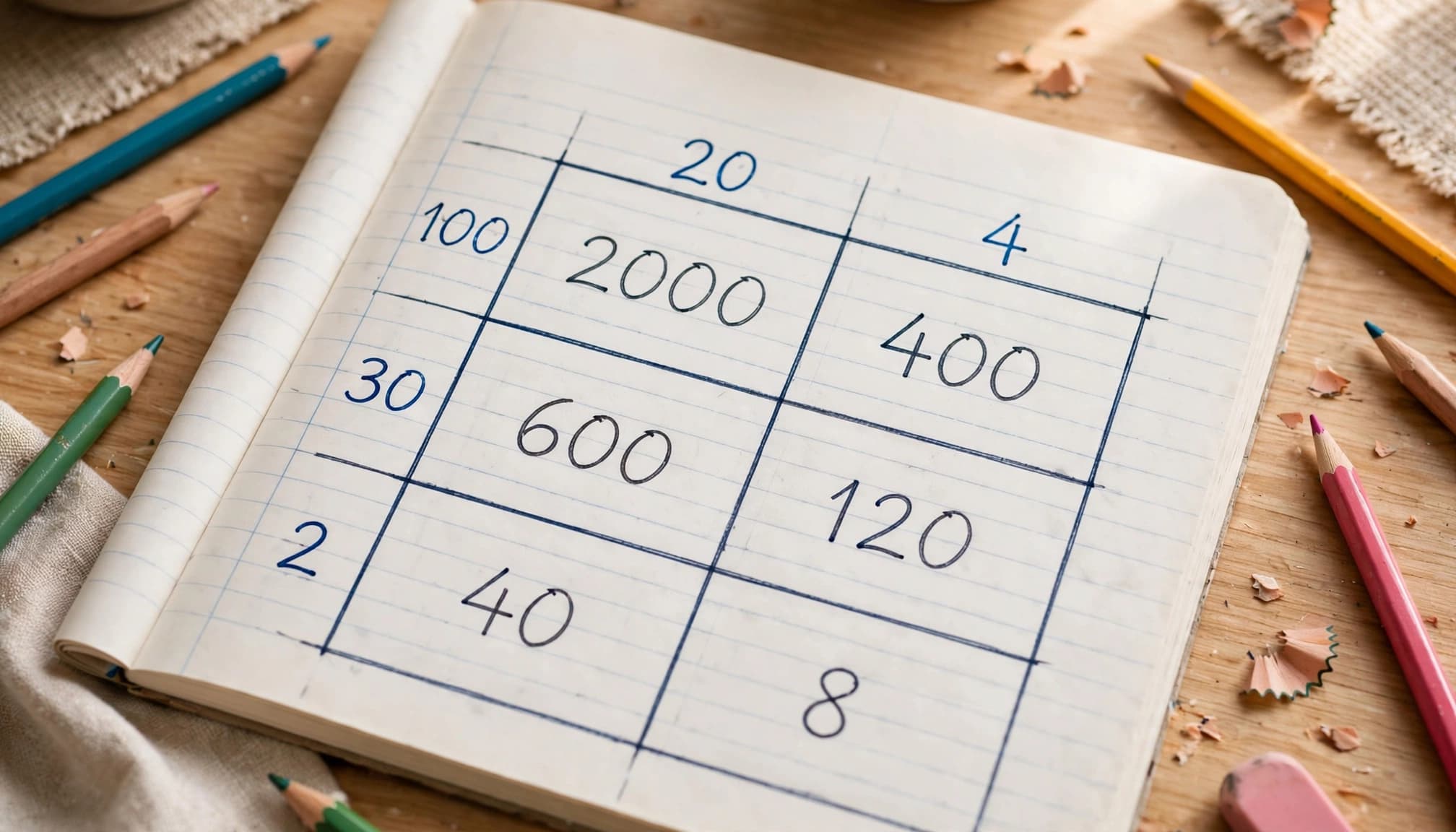
Split 132 into 100 + 30 + 2, and split 24 into 20 + 4. The place-value labels follow powers of 10, and the area model now has six boxes.
| Side length | 100 | 30 | 2 |
|---|---|---|---|
| 20 | 2,000 | 600 | 40 |
| 4 | 400 | 120 | 8 |
The first row totals 2,640. The second totals 528. Adding both rows gives 3,168.
Before moving on, ask your child why each box is included. They should connect the three column parts and two row parts.
Keep this extension optional. A child who explains two-digit models clearly has met a more useful goal than one who copies a larger grid without understanding it.
Find the Mistake Before Assigning More Practice
Check missing boxes and shrinking tens
If your child calculates only 20 × 10 and 3 × 4 in the equation 23 × 14, two combinations are missing.
Have them touch every box and name its row and column labels. Check each box to make the missing combinations easier to spot.
Another common error is writing 50 × 30 = 150. Ask which multiplication fact matches the product 150: 50 × 3. Then compare three groups of fifty with thirty groups of fifty.
A correct multiplication fact can still produce a wrong partial product when a child drops the zeros that show tens or hundreds.
Correct the model before handing over another worksheet. Otherwise, the mistaken method gets extra rehearsal.
Separate fact gaps from addition errors
When the grid is correct but 7 × 8 causes trouble, focus on fast facts. Build an array or use 5 × 8 plus 2 × 8.
2cool4school’s Grade 4 math facts lessons offer focused video support.
If counting small groups is still difficult, revisit that skill through first-grade counting activities or number bonds. One weak foundation doesn’t require restarting an entire Grade 1 curriculum.
When all partial products are correct, check the addition separately. Rewrite the numbers in place-value columns and recalculate.
For another teaching demonstration, SEDL offers a Grade 4 multiplication video. Pause before a solution and ask your child to show their own model.
Try a Short Practice Set at Home
Begin with one example together, then let your child attempt two independently. Use powers of 10 to organize each problem, and discuss mistakes before they become habits.
Use this set for pencil-and-paper practice. Cover the answer column while your child organizes the partial products.
| Problem | Main focus | Answer |
|---|---|---|
| 24 × 3 | Splitting tens and ones | 72 |
| 36 × 7 | Adding two partial products | 252 |
| 204 × 3 | Keeping hundreds and ones straight | 612 |
| 42 × 15 | Completing four boxes | 630 |
| 61 × 24 | Multiplying tens and checking addition | 1,464 |
For 42 × 15, have your child label each box with its partial product.
For 204 × 3, your child can use 200 + 4; writing it as 200 + 0 + 4 shows the zeros and keeps place value clear. Those zeros mark a zero-valued tens section, which can be omitted; changing 204 into 24 isn’t.
Use fast facts to check the product, then review the addition.
Afterward, ask them to explain one box without looking at the final product.
For printable follow-up, browse 2cool4school’s free worksheets for Grades 1-8. Choose questions matching today’s skill, including Grade 1 worksheets if basic counting needs attention.
Common Core Sheets also provides 4.NBT.5 practice with answer keys. Check a few answers together rather than waiting until an entire page is finished.
For a homeschool lesson plan, this routine fits neatly into a focused math block.
Key Takeaways for Parents
- Have your child explain expanded form before filling the grid.
- Include every row-and-column combination, then add each partial product once.
- Diagnose place-value mistakes, fact gaps, and addition errors separately.
The strongest sign of progress is an explanation your child can repeat with fresh numbers. A tidy rectangle is pleasant, but understanding earns the gold star.
Common Questions About Area Models
Can my child put the factors on different sides?
Yes. For 23 × 14, either factor can label the top or side. The multiplication order changes, but the product stays 322.
Ask your child to compare both layouts. The four sections in the box shift positions, but the partial products stay the same. This shows why changing the order of the factors doesn’t change the answer.
Must my child memorize every fact first?
They can practice area models while strengthening multiplication facts. However, too many difficult facts can distract them from learning the model.
Choose friendly numbers at first, and keep an array or fact chart nearby. Then gradually reduce that support. Untimed work lets you see whether the difficulty lies in the multiplication facts or in setting up the rectangle.
Keep the Next Practice Session Focused
Area model multiplication makes larger calculations easier to explain because each box preserves a piece of the original problem. Build understanding before adding bigger numbers or more questions.
For your next session, choose one problem and use 2cool4school’s Grade 4 multiplication and division lessons if your child needs another explanation. Then let them draw, solve, and describe a similar model to show how its parts combine into the product.